devSpaces automates the creation of Docker environments for WordPress and PrestaShop.
Identical environments, synchronized with production, instantly available. No Docker skills required.Docker development environments
ready in seconds
Get started in 3 steps
- Install Docker on your machine
- Create a free account on app.devspaces.cloud
- Run the installer:
curl -fsSL https://devspaces.cloud/setup.sh | bash
What is devSpaces?
A platform that automates the creation of local Docker development environments. You get standardized, ready-to-use workspaces in seconds, perfectly synchronized with your production server.
Who is it for?
Instant setup
Environment ready in 30 seconds. No more hours of configuration.
Standardization
Every developer works with an identical environment. No more "it works on my machine".
Production sync
Database, files, and configurations synchronized with your production server.
GDPR compliance
Automatic anonymization of personal data during synchronization.
Dedicated tools for each platform
Each environment comes with specific tools tailored to your CMS or framework.

WordPress
Full WP development stack
Complete WordPress command line interface
PHP dependency manager ready
Direct wp-admin access without password
Auto-configured for local dev
Develop with production images via proxy

PrestaShop
Complete e-commerce toolkit
Access to all PrestaShop CLI commands
90% less disk space, instant sync from production
Toggle shop maintenance with one command
GDPR-compliant customer data masking
Auto-configured for local environment
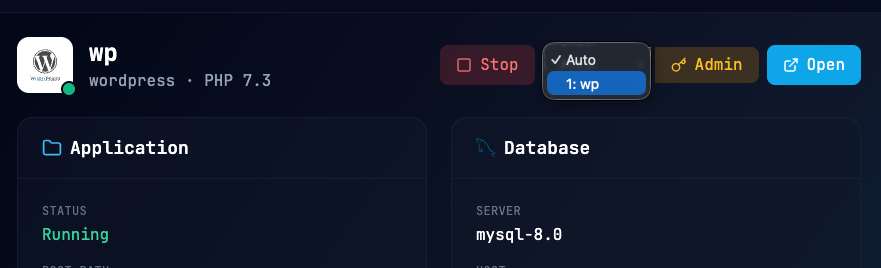
Included in all environments
Web Management Interface
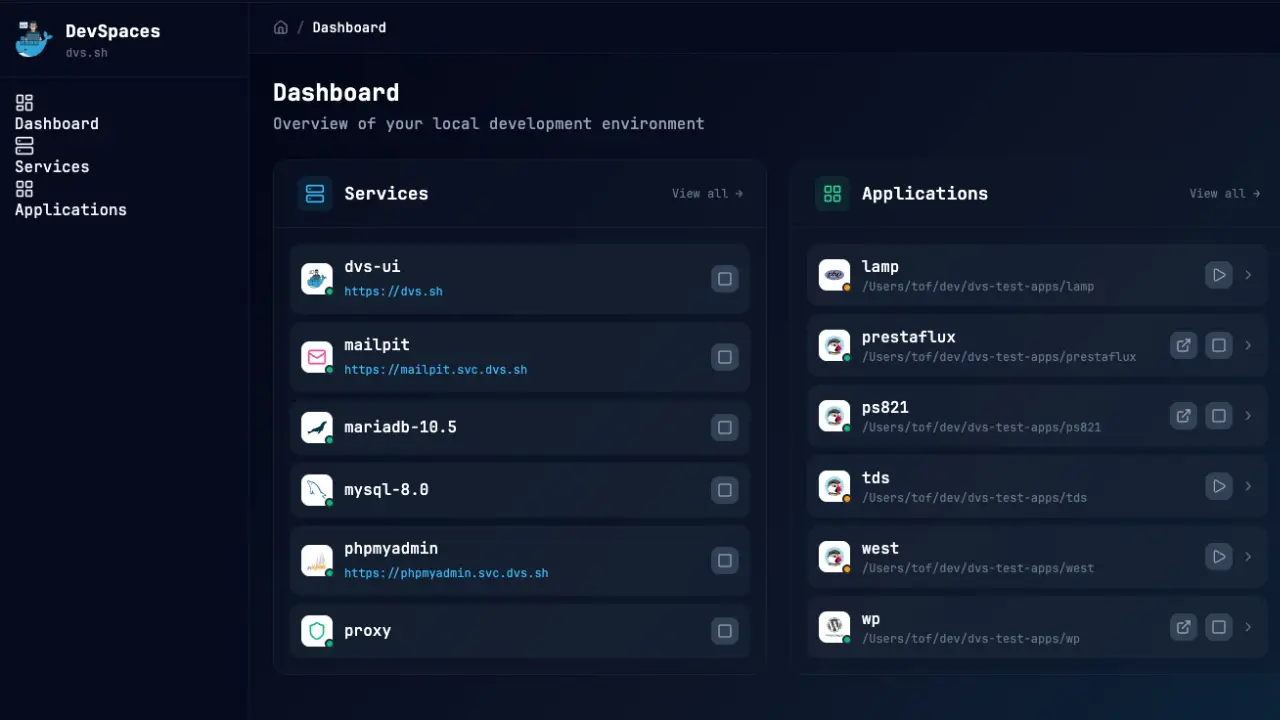
Manage your applications without command line
DVS UI is a visual web interface that allows you to manage all your development environments directly from your browser. No more terminal commands to remember!
- Start/Stop applications: One click to control your environments
- One-click admin: Direct access to WordPress or PrestaShop back-office without password
- Service management: phpMyAdmin, Mailpit, and other tools accessible in one click
- Real-time status: View application and database status instantly
- User selection: Choose which admin account to auto-login with
Real-world use cases
Discover how devSpaces transforms your team's daily work.
New developer onboarding
Before: 1 to 2 days installing and configuring tools before being able to start coding.
After: The new developer runs one command and is productive within minutes.
Pre-deployment testing
Before: Testing on a local environment that doesn't reflect production reality. Bugs discovered after deployment.
After: Environment synchronized with production. Real data. Identical configurations. Problems identified before deployment.
Technical training
Before: Half a day lost installing environments on each participant's machine.
After: Each learner has an identical, ready-to-use environment in 30 seconds.
Multi-project agency
Before: Switching between projects requires reconfiguring the environment each time. Conflicts, versioning errors.
After: Each project has its isolated environment. One command to start, no conflicts between projects.
Emergency hotfix
Before: Need to quickly reproduce a production bug. Environment setup takes too long under pressure.
After: Clone production data in seconds. Reproduce and fix the bug immediately.
Client demo
Before: Preparing a demo requires several hours of configuration. Risk of errors during presentation.
After: Spin up a clean demo environment in 30 seconds. Share it via tunnel with your client.
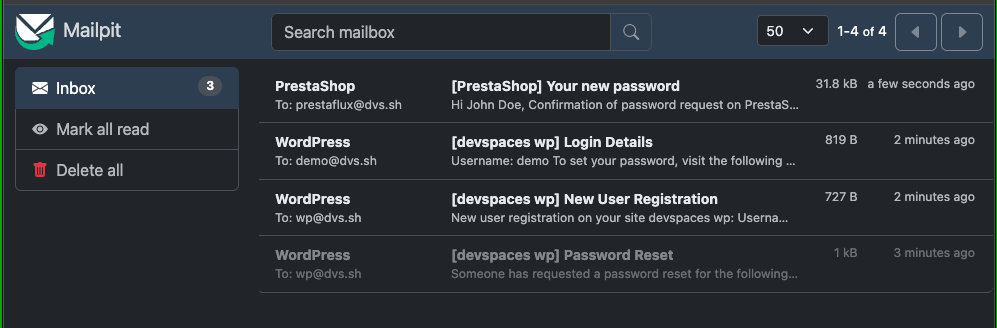
Outgoing emails captured
All emails are intercepted and viewable in Mailpit. No accidental sending to real customers.
How devSpaces changes everything
Compare the traditional approach with the devSpaces method.
Without devSpaces
Installing Docker, configuring ports, volumes, environment variables...
"It works on my machine" - Different PHP versions, missing extensions
HTTPS, Xdebug, logs to configure manually each time
Local environments with outdated data that doesn't match production
New developer = 1+ day of setup before being able to code
With devSpaces
One command, your environment is created and started.
Every team member works with the exact same setup.
HTTPS, Xdebug, phpMyAdmin, Mailpit ready from the start.
Database and files synced with production, with automatic anonymization.
New developer = productive in minutes, no Docker training needed.
Complete visibility on your environment
Real-time logs and monitoring tools to debug efficiently.
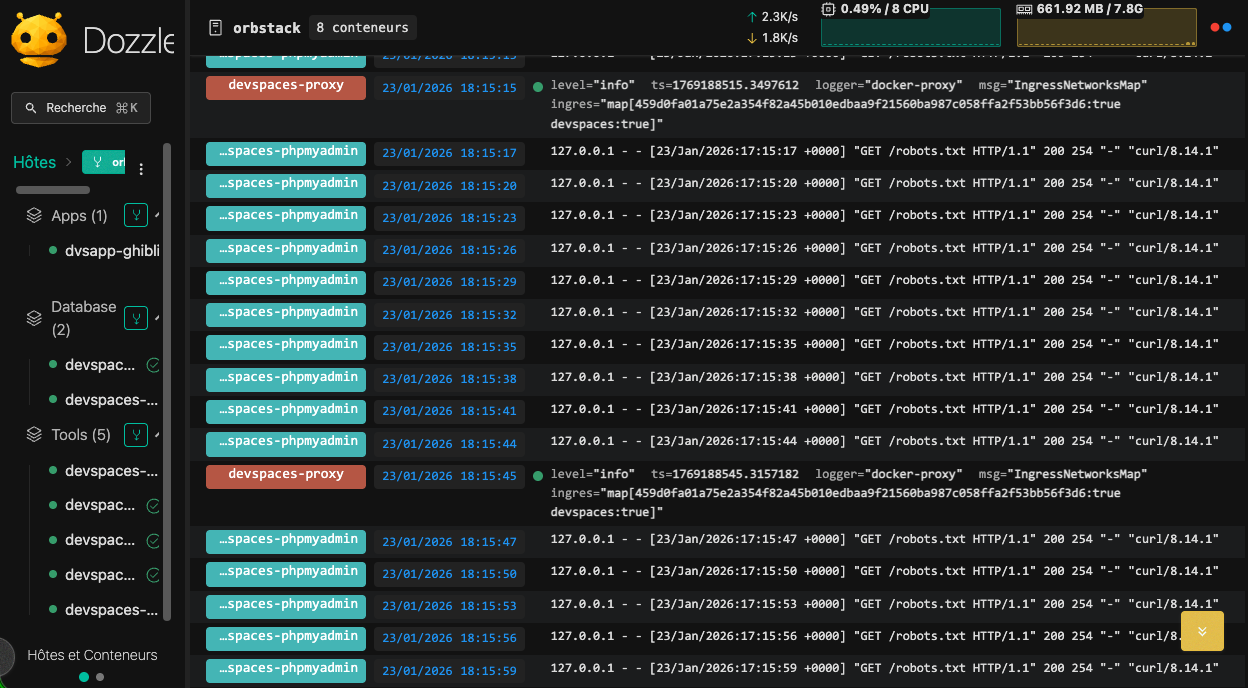
Livelogs
Real-time container logs with visual interface. Filter by service, search in logs, all in your browser.
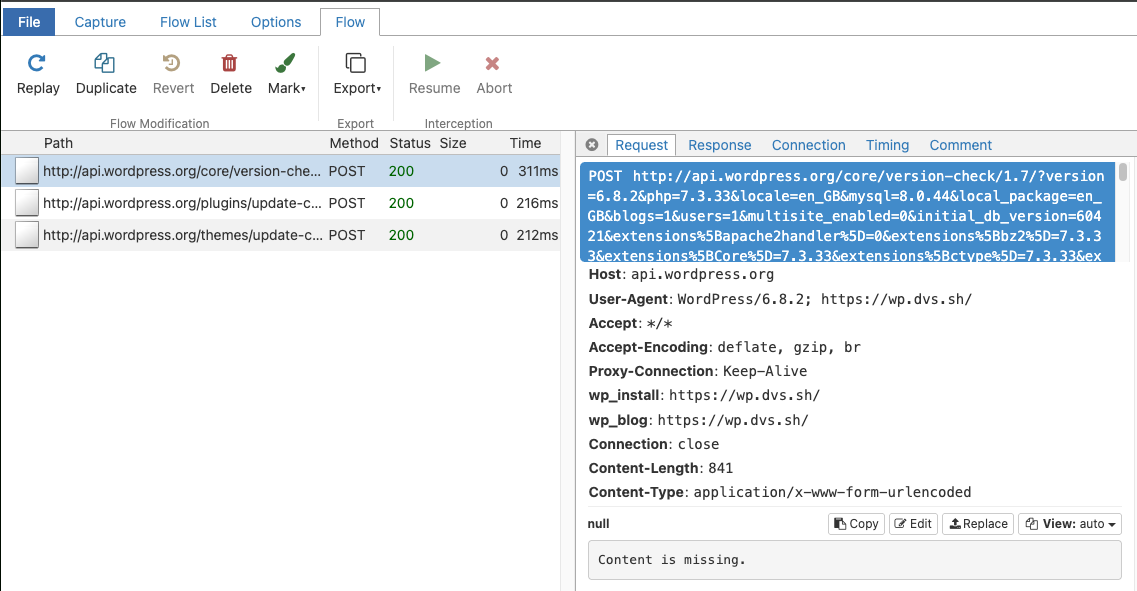
HTTP Log
Inspect all outgoing HTTP traffic from your application. Debug API calls, webhooks and external services.
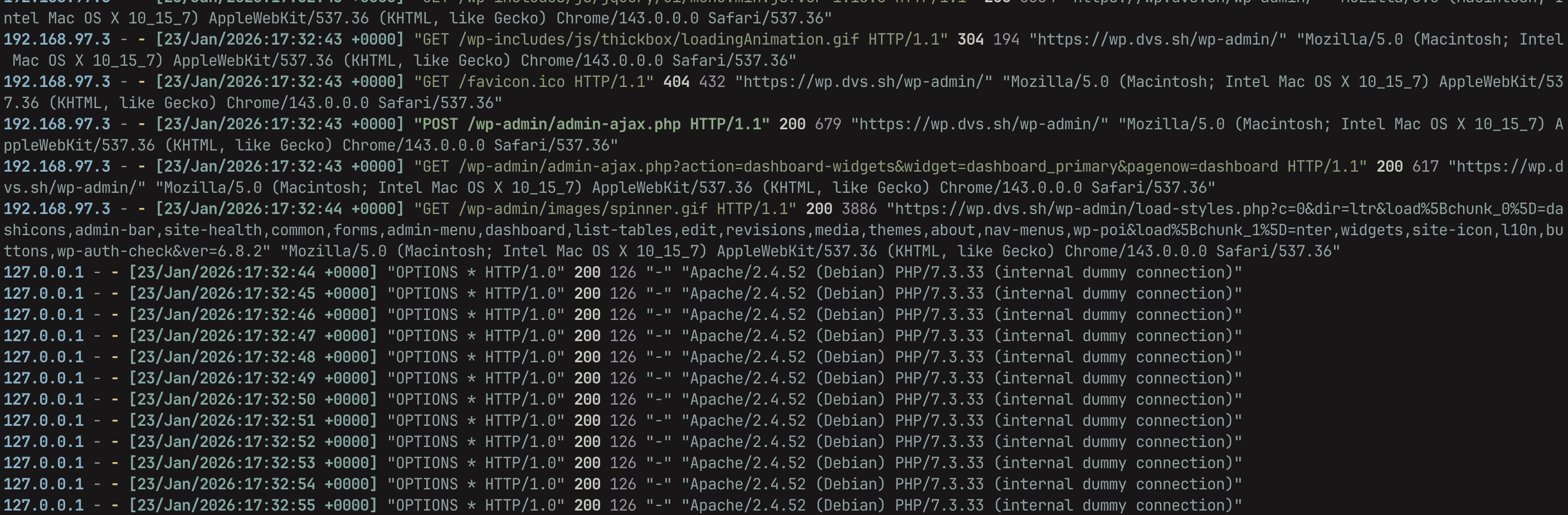
Colored Logs
PHP error logs with syntax highlighting. Instantly spot errors, warnings and notices in terminal.
Everything you need to work efficiently
A complete toolkit designed for development teams.
Instant environments
Deploy a complete development environment in seconds, without any Docker knowledge.
Production synchronization
Work with up-to-date data, directly synchronized from your production server.
Security & GDPR
Work safely with automatic protection of sensitive data.
Integrated tools
All the tools you need, ready to use without configuration.
Web management interface
Manage your environments visually, without memorizing commands.
Backup & archive transports
Configure storages for encrypted archives and incremental backups. Supported backends:
| Transport | Protocol | Use case |
|---|---|---|
| ssh | SSH/SCP | Linux servers with SSH access |
| sftp | SFTP | Secure file transfer |
| ftp | FTP/FTPS | Legacy FTP servers |
| s3 | S3 API | AWS S3, MinIO, compatible |
| gdrive | Google Drive API | Google Drive (OAuth 2.0) |
| local | Local FS | Local directories |
Average environment creation time
Production-identical environments
Docker expertise required
Environments available
Secure by design
HTTPS certificates automatically generated. All outgoing emails blocked to prevent accidents. Isolated environments.
GDPR compliance
Automatic anonymization of personal data when synchronizing from production. Emails, phones, addresses replaced.
Proven reliability
Pre-built and optimized Docker images. Tested configurations. No local build required for maximum stability.
Frequently asked questions
Which operating systems are supported?
devSpaces works on Windows (WSL2), macOS (Intel and Apple Silicon), and Linux. You need Docker or OrbStack installed on your machine.
Do I need Docker expertise to use devSpaces?
No. devSpaces handles all Docker complexity for you. You only need to know a few simple commands to create, start, and manage your environments. A web interface is also available for those who prefer to work without the command line.
Which CMS and platforms are supported?
devSpaces offers optimized recipes for WordPress, PrestaShop, and a generic LAMP stack for custom PHP projects and frameworks like Laravel, etc. Each recipe includes specific tools: WP-CLI for WordPress, PrestaShop console, etc.
How does data anonymization work?
When synchronizing from production, devSpaces can automatically anonymize personal data: email addresses, phone numbers, and postal addresses are replaced with fake data. This ensures GDPR compliance without any manual effort.
Is there a free version?
Yes! The Solo plan is free and includes all basic features: creating environments, pre-built images, integrated tools (Xdebug, phpMyAdmin, Mailpit), HTTPS, and web interface. Pro and Business plans add advanced features like production synchronization and tunnels.
Is it compatible with my IDE?
Yes, devSpaces works with all IDEs: VS Code, PhpStorm, Cursor, Neovim, and any other editor. Xdebug is pre-configured and works out of the box with IDE extensions.
Works on your system
One tool, all platforms. Install once, work anywhere.
Windows
WSL2
Full Linux compatibility via WSL2
macOS
Intel & Apple Silicon
Native Apple Silicon support
Linux
All distributions
Ubuntu, Debian, Fedora, Arch...
Compatible IDEs




Container engines

Ready to gain hours
every week?
Join the development teams who have already adopted devSpaces. Create your first environment in less than a minute.
Contact Us
A question? A suggestion? Don't hesitate to write to us, we'll get back to you as soon as possible.